
Use the latest browser recommended by Microsoft
Get speed, security and privacy with Microsoft Edge


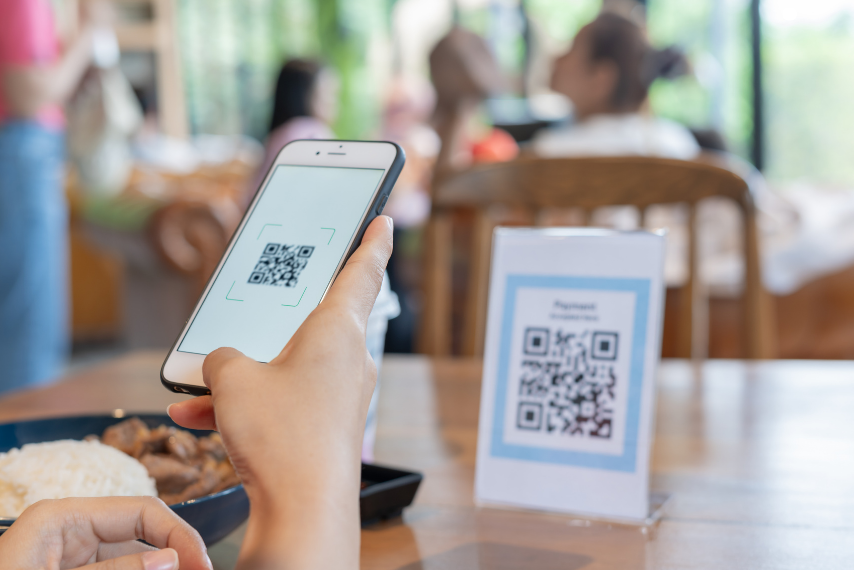
If you're a small business owner, you know that every second you spend wrapping up a transaction is an extra second your next customer is waiting to pay. And if the line gets too long, the person at the back might get frustrated and walk away.
Handling cash comes with its own daily hassle, hunting for change, keeping float on hand, and making trips to deposit money. Accepting digital payments makes transacting business easier.
That is where QR codes come into play. With the BiMPay e-wallet, which the Central Bank of Barbados offers as an additional feature of its new national instant payment system, accepting payments directly into your account takes just seconds while operating 24 hours a day, seven days a week. Simply put, QR codes turn checkout into a quick scan-and-go experience.
Depending on how your business runs, BiMPay gives you two distinct ways to use QR codes: static codes you can print out once, and dynamic codes generated on the spot.
Imagine running a busy market stall on a Saturday morning or managing a counter at a local bakery. You’re serving customer after customer, so stopping to type details into a device for every single transaction simply isn't practical.
This is where a static QR code shines. You generate it once inside your BiMPay app, print it out, and place it wherever your customers make payments, whether that is on your checkout counter, a sign at your food stand, or even stuck on your vehicle dashboard if you operate a taxi or delivery service.
When it is time to pay, the customer opens their app, scans your printed code, types in the total bill amount, and sends the payment. Within seconds, both of you get confirmation, and the money lands right in your account. You don't need to pick up your phone or interrupt what you are doing. It is a seamless, hands-off setup that keeps your queue moving steadily.
Now think about a different scenario, say you run a nail salon, offer mobile mechanic services, or manage table service at a café. In these situations, total bills vary from person to person, and you want absolute certainty that the right amount is paid every single time.
This is where dynamic QR codes are incredibly useful. Instead of having the customer enter the bill amount manually, you can use the wallet’s request to pay feature and enter the exact total into your BiMPay app on your phone or tablet. You can even add a quick memo, like "Gel Polish & Design" or "Order 42".
The app instantly creates a one-time QR code right on your screen. Your customer simply scans your device, reviews the pre-filled amount already on their screen, and approves the payment with a tap.
This approach completely eliminates typos or underpayments because the customer never has to type in a single number. Plus, having that memo attached to the transaction makes tracking your daily earnings and bookkeeping much cleaner when you review your records at the end of the day.
Neither method is better than the other; it all comes down to the flow of your workday.
If you thrive on volume, quick turnover, or fixed pricing, printing a static QR code to keep on display will give you a hassle-free checkout station.
If you offer custom services, handle varying order totals, or prefer to present the exact bill to your client at checkout, generating a Request to Pay QR code on your device gives you total accuracy and peace of mind.
By giving your customers a frictionless way to pay in seconds, you keep your lines moving, eliminate the stress of handling cash, and get immediate access to your hard-earned revenue.